 GamerDX
Scan or search
Point your camera at a barcode or search thousands of games. Details and box art fill in automatically.
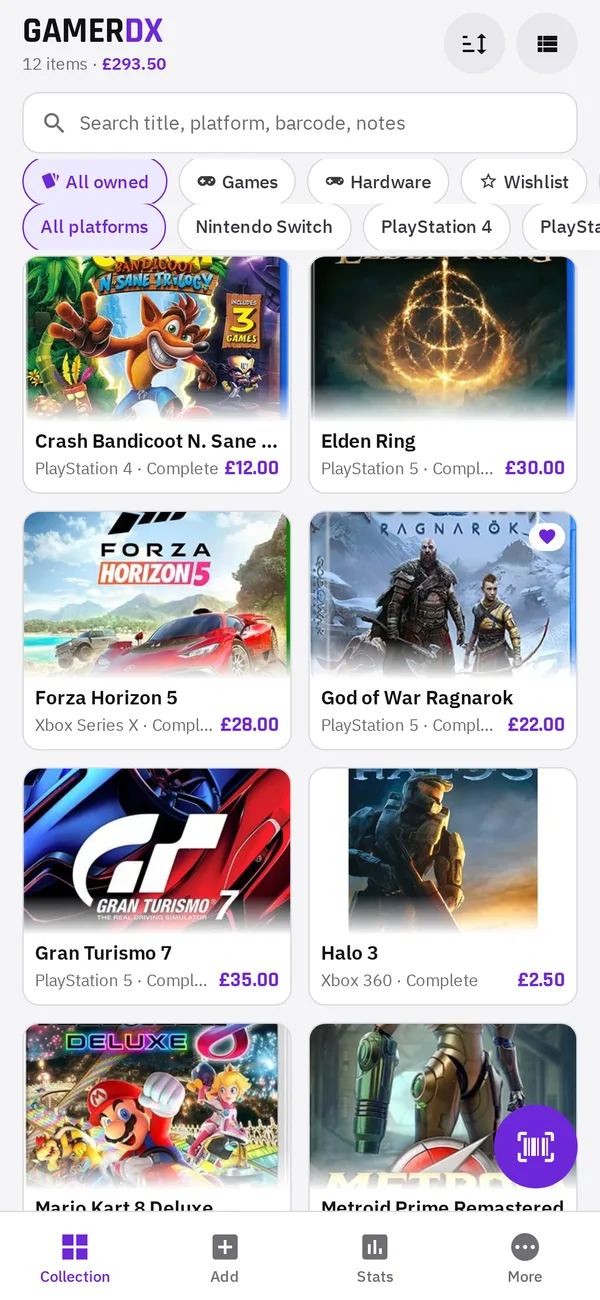
Catalogue every game you own, scan barcodes in seconds and see exactly what your collection is worth with live CeX UK prices.
Everything in one place
From retro carts to the latest releases, GamerDX keeps track of what you own, what it cost and what it's worth today.
Point your camera at a barcode or search thousands of games. Details and box art fill in automatically.
Save a game instantly and let prices load in the background. Scan a whole shelf, then review the batch later.
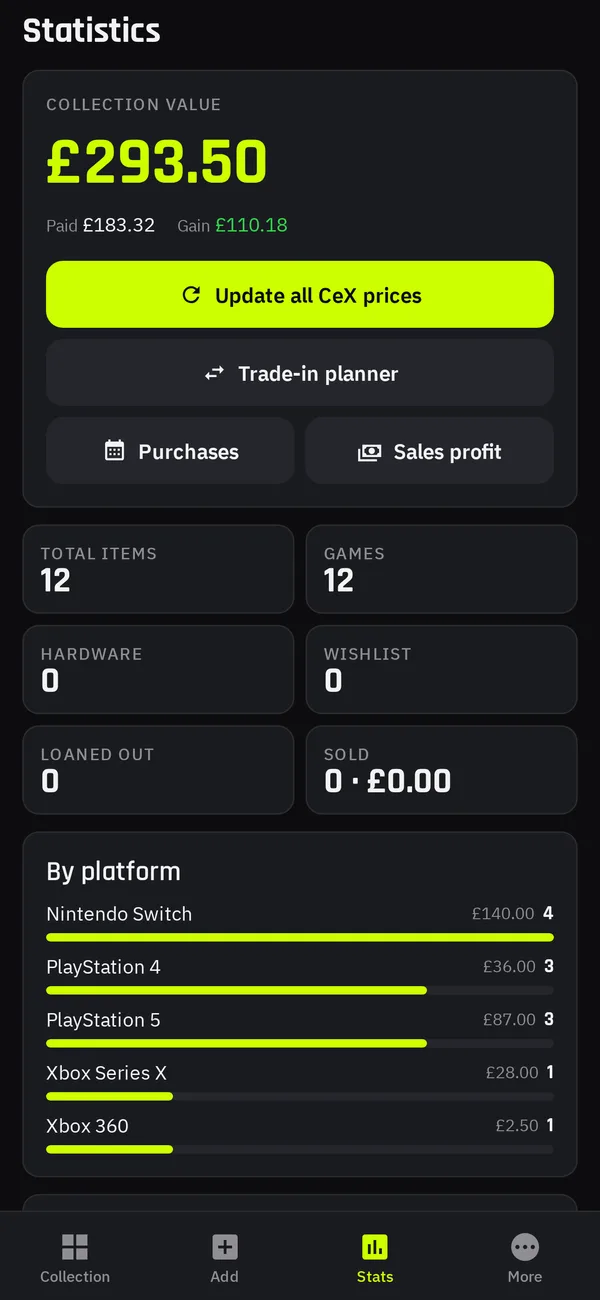
Sell, cash and exchange prices for every game, plus your total collection value, money spent and profit.
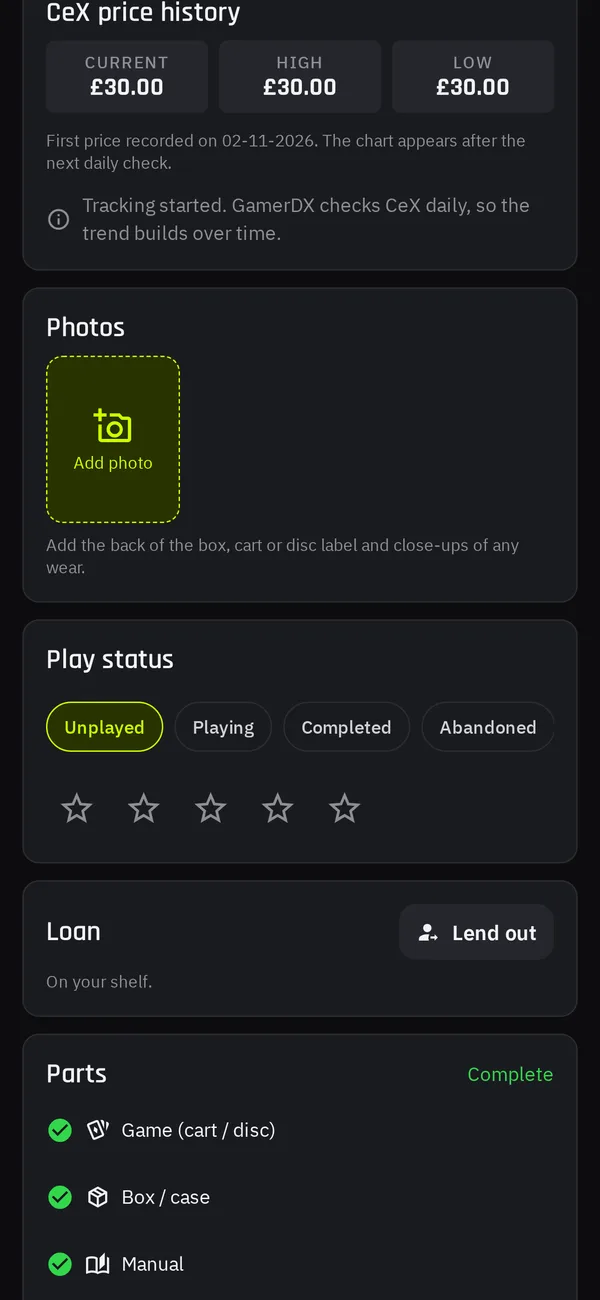
Chart how each game's price has moved and get flagged when something jumps or drops sharply.
Pick some games or your whole collection and see the cash or exchange you could get before you head to the shop.
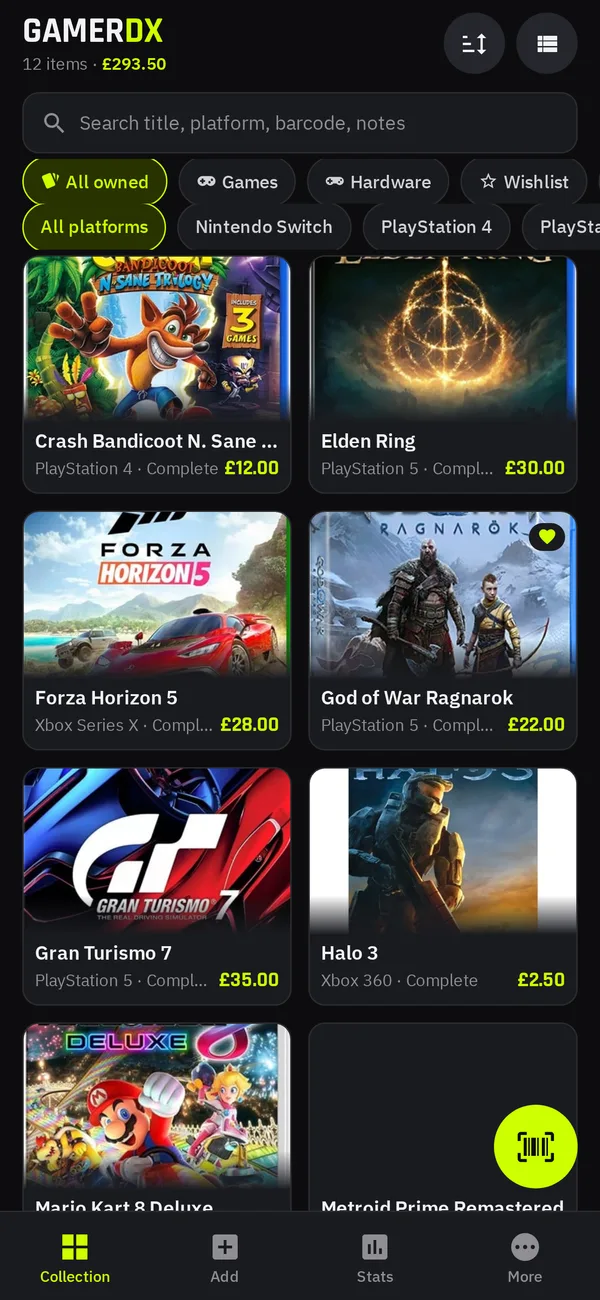
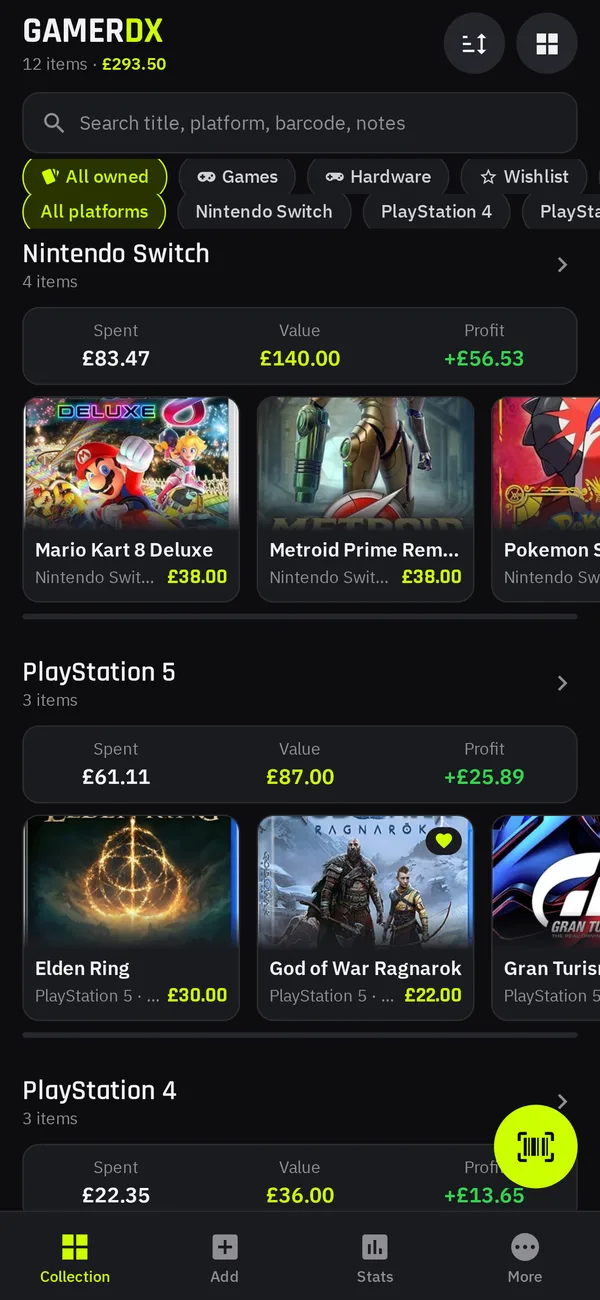
Browse as a grid, list or shelves grouped by platform, each with its own spent, value and profit totals.
Track each part separately, combine loose parts into a complete copy, or split a copy when you sell just the box.
Use your own cover shot and keep a gallery per game: back of box, cart labels and condition close-ups.
Keep a list of games you want, and missing boxes or manuals, each with its current CeX price.
A purchase timeline with monthly spend, and a sales report showing profit and loss by month.
Dark, light or automatic theme, 12 accent colours, and prices in pounds, dollars or euros.
No ads and no tracking. Export your collection to CSV and delete your account and data from the app at any time.
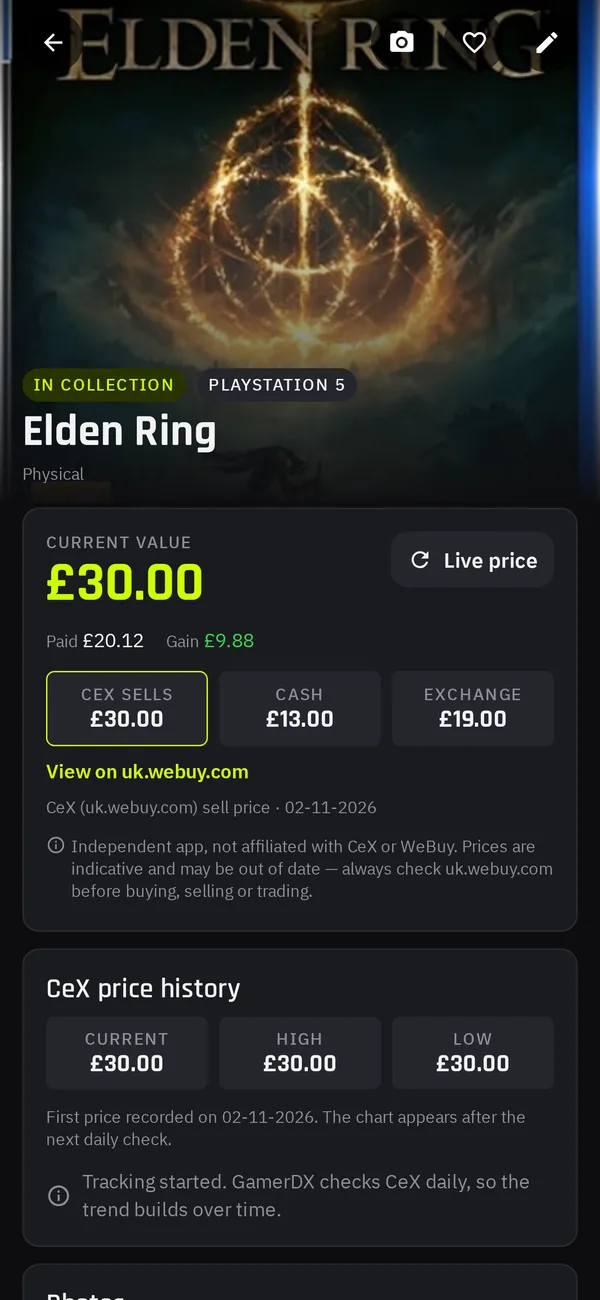
Know what it's worth
GamerDX checks the latest CeX UK listings so you always know what your games would sell for, or what you'd get back in cash or trade.
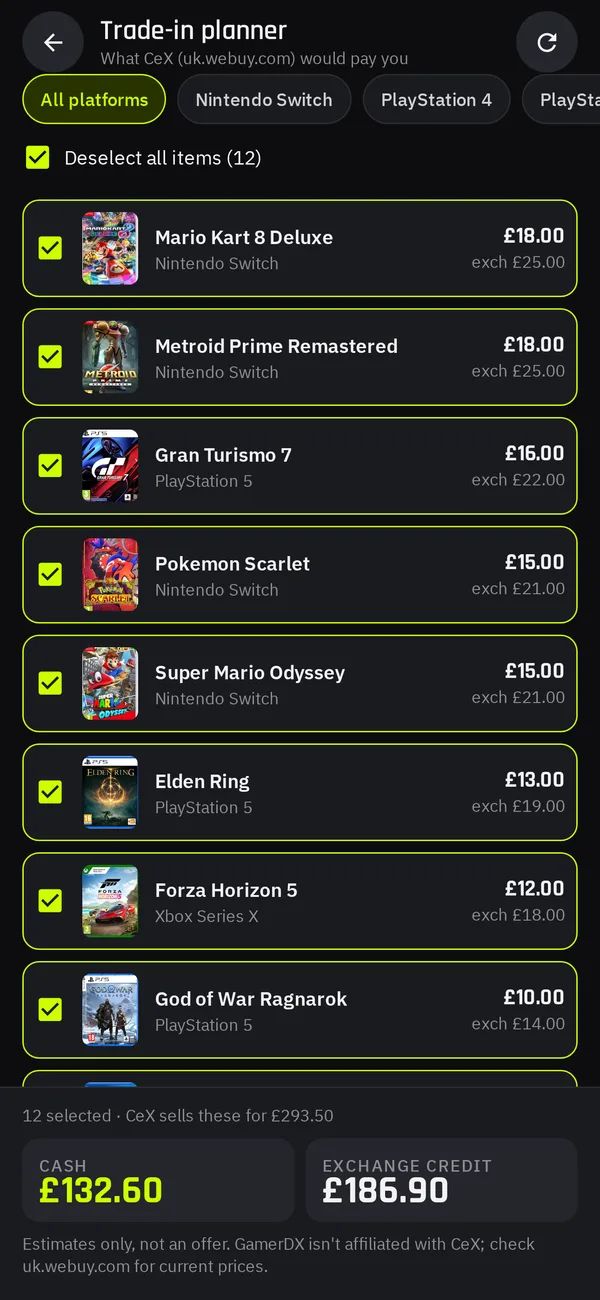
Plan your next trade
Select a handful of games or your whole collection and the Trade-In Planner adds up the cash and exchange offers instantly.
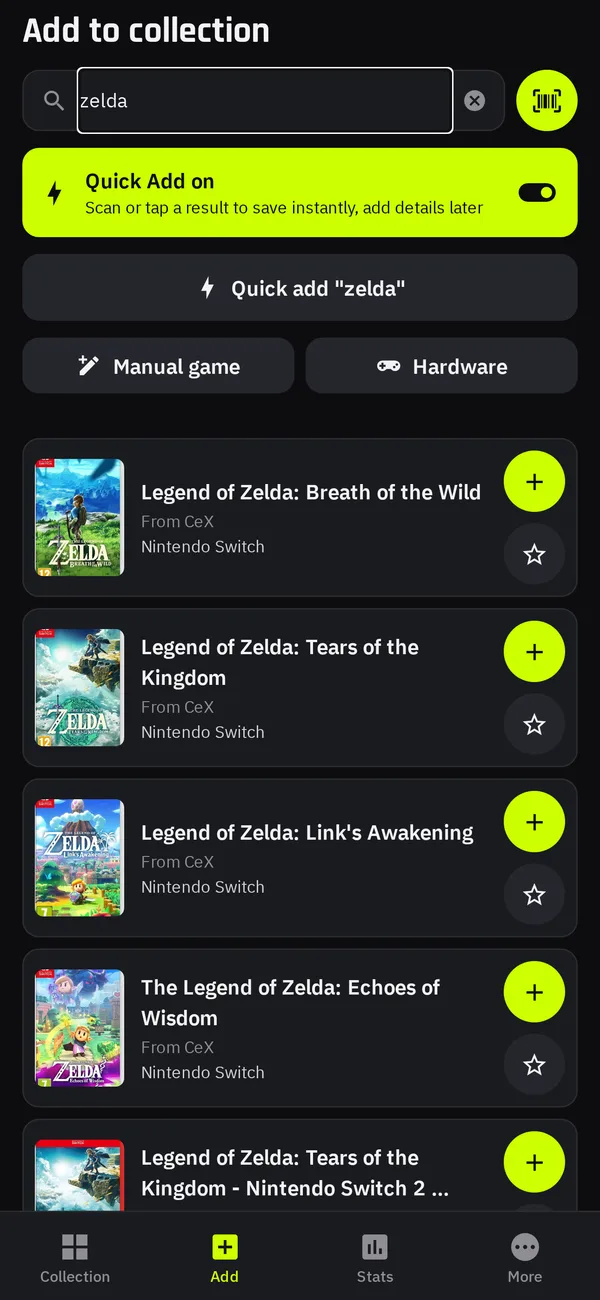
Add games fast
Scan a barcode or type a title. Quick Add saves straight away and fetches prices in the background, so you can keep going and fill in the details later.
The big picture
See your total value, what you've spent and your profit, broken down by console, with a monthly purchase timeline to keep your spending honest.
Make it yours
Match your phone's theme or pick your favourite, then choose from 12 accent colours. Try it now with the switch at the top of this page.
Take a look
Swipe through the app. Switch the page theme to see every screen in light mode too.
FAQ
GamerDX is coming soon to the App Store and Google Play. The download buttons on this page will go live as soon as it's released.
Prices are taken from publicly available CeX UK (WeBuy) listings and checked regularly. They're a guide only and may be out of date, so always check uk.webuy.com or in store before buying, selling or trading.
No. GamerDX is an independent app and is not affiliated with, endorsed by or sponsored by CeX or WeBuy.
Game details and cover images come from the RAWG game database. You can also replace any cover with your own photo.
Yes. Games, consoles and accessories can all be added, priced and organised onto shelves.
Yes. GamerDX uses pounds by default and you can switch to US dollars or euros in the app's settings at any time.
Your collection is stored securely with your account. There are no ads and no tracking. You can export your collection to CSV, and delete your account and all of its data from the app whenever you like. Read the Privacy Policy for full details.
Tap "Forgot password?" on the sign-in screen and we'll email you a 6-digit code to set a new one.
Get in touch
We'd love to hear from fellow collectors. Drop us a line and we'll get back to you.
hello@gamerdx.app